Full-page capture
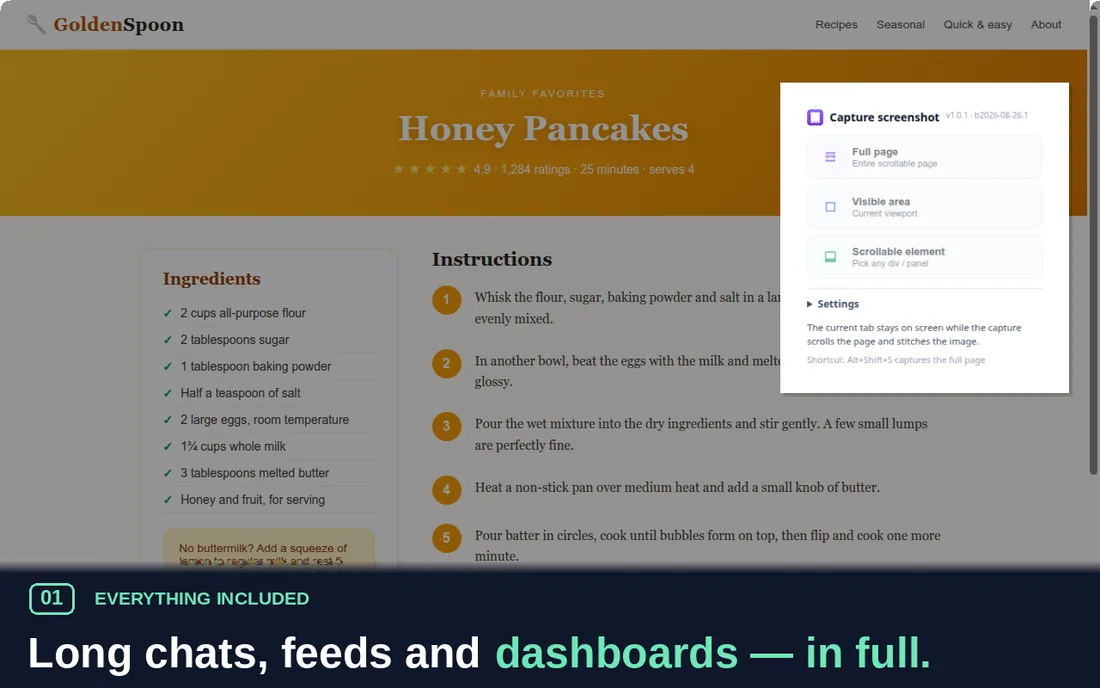
One seamless image, however long the page. Smart profiles wait out lazy-loaded boards and give dashboard panels extra render time.
 PageCapture
Add to Chrome
PageCapture scrolls the page for you and stitches every pixel into one tall image — or a PDF with real text. Nothing ever leaves your device.
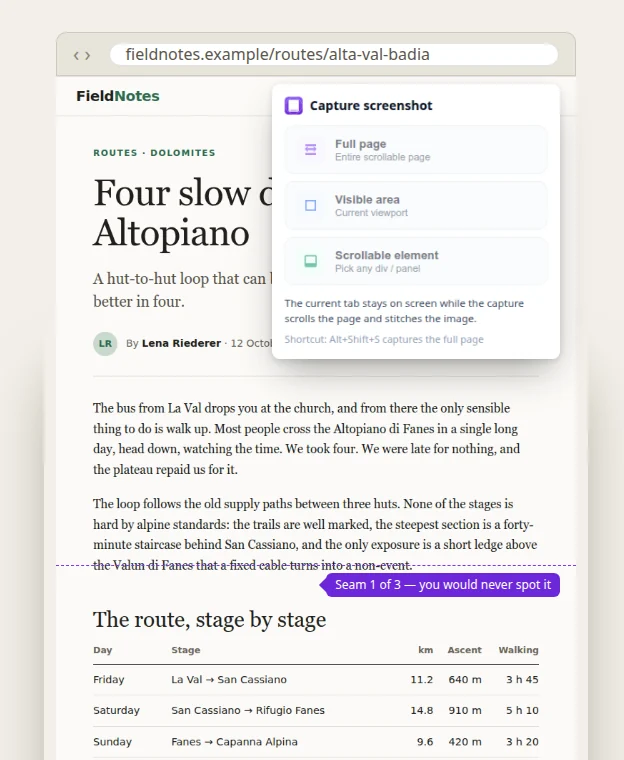
The tab stays on screen while PageCapture scrolls it, then the result opens in a built-in editor.
Or press AltShiftS for the whole page, the visible area, or one scrollable element.
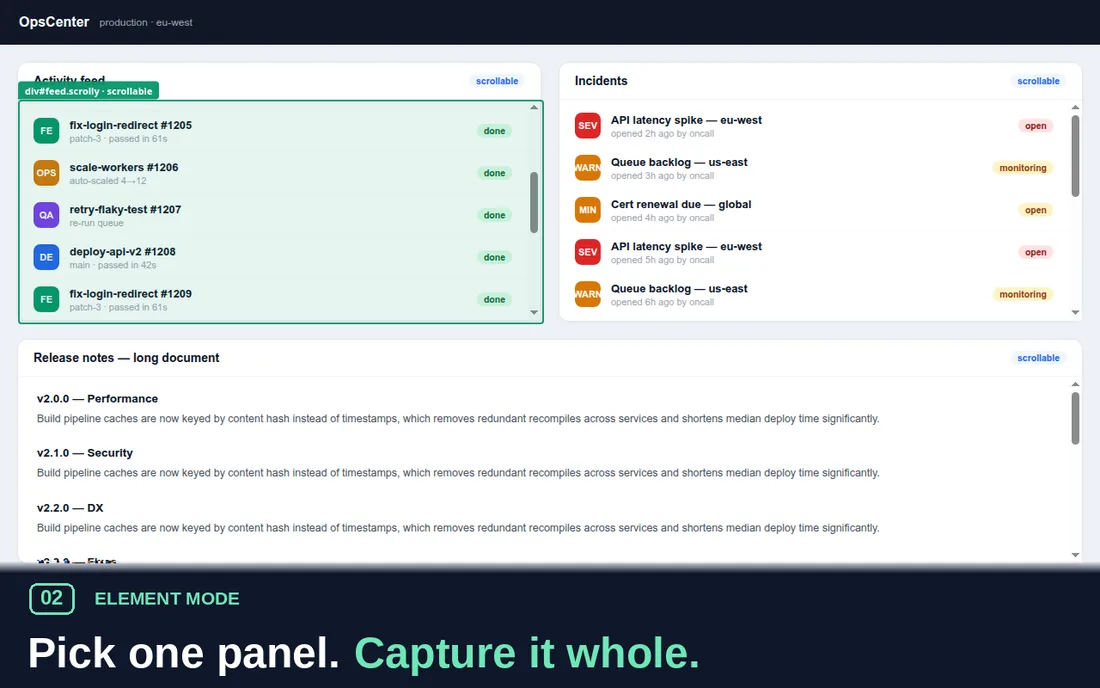
In element mode, hover a panel, feed or thread until it glows green, then click. Fixed headers appear once, not on every screen.
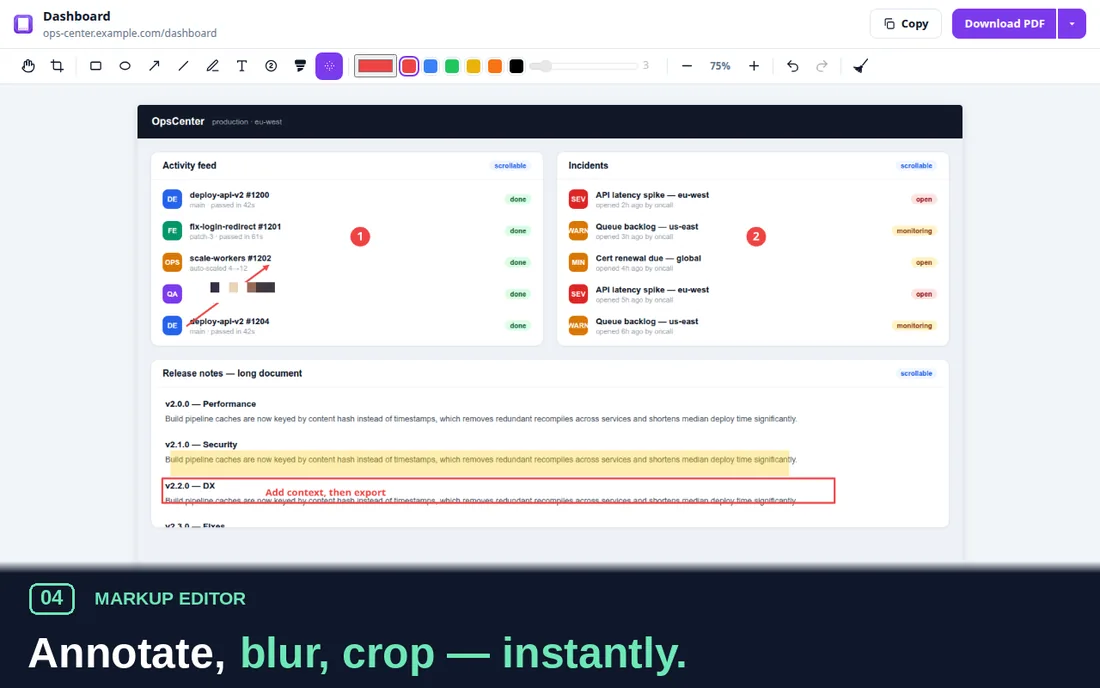
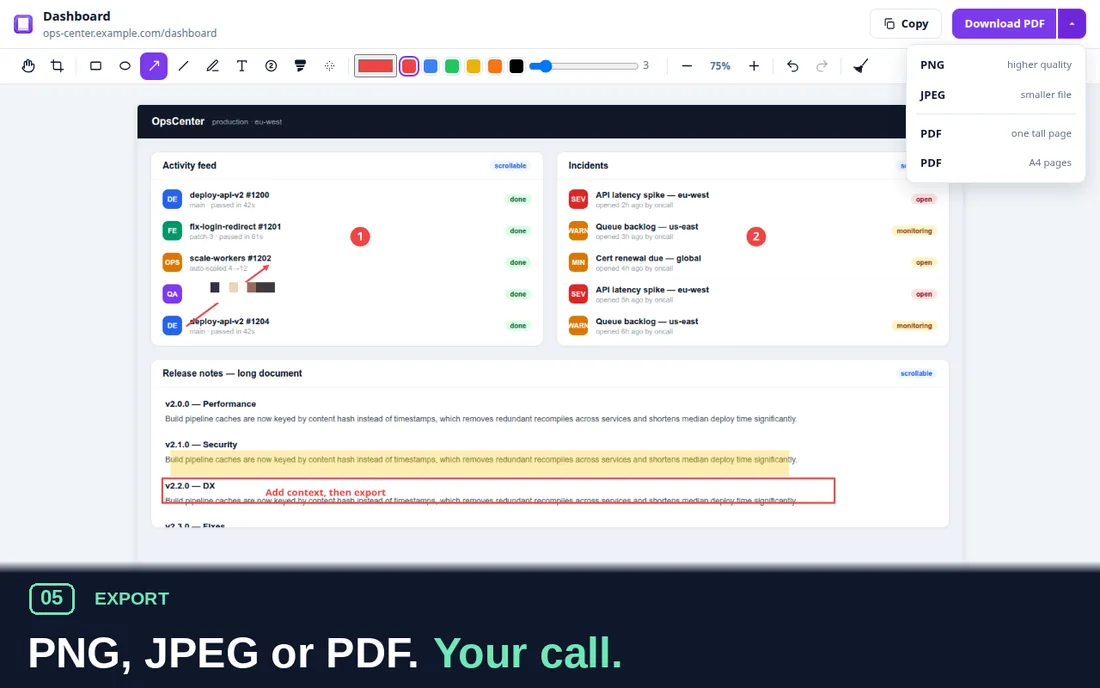
Crop, annotate, pixelate secrets, then export PNG, JPEG, a print-ready PDF or a searchable text PDF. One click copies it to the clipboard.
Captured with PageCapture from sample pages. No retouching.
Every feature runs on your device, with no account and no network requests.
One seamless image, however long the page. Smart profiles wait out lazy-loaded boards and give dashboard panels extra render time.
Scrollable panels, chat threads, feeds and tables, captured whole without the rest of the site.
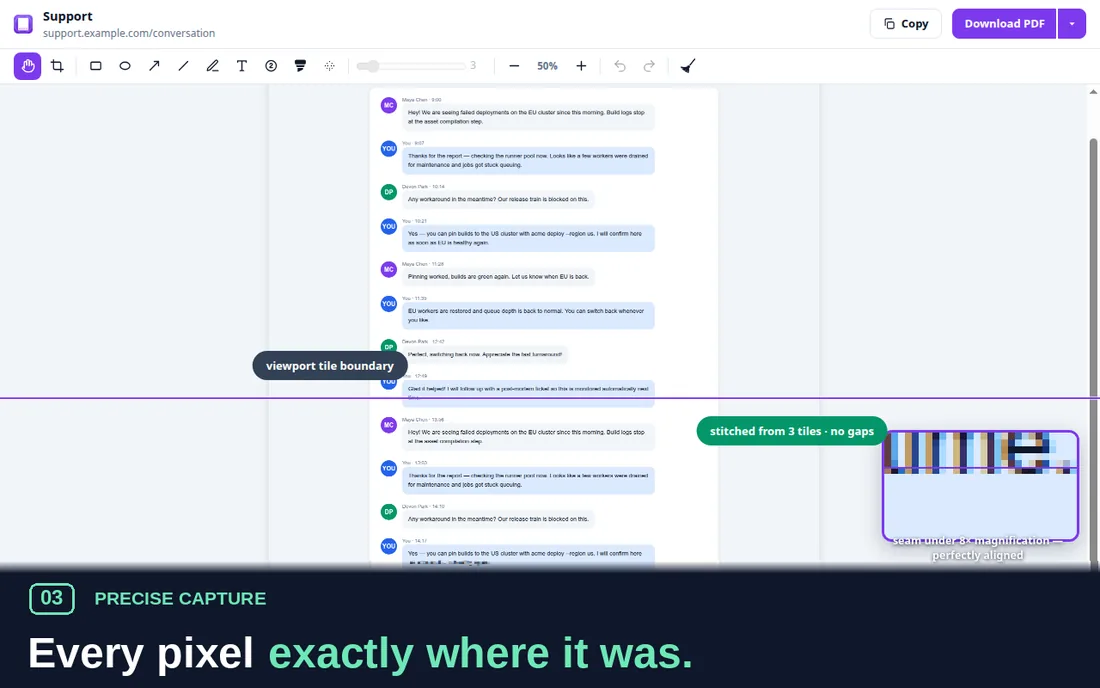
Each screen is placed at its true scroll offset, so text stays crisp from the first row to the last.
Arrows, shapes, freehand, text and numbered step badges, plus a highlighter and pixelation for secrets. Each mark sits on its own layer and undo covers everything.
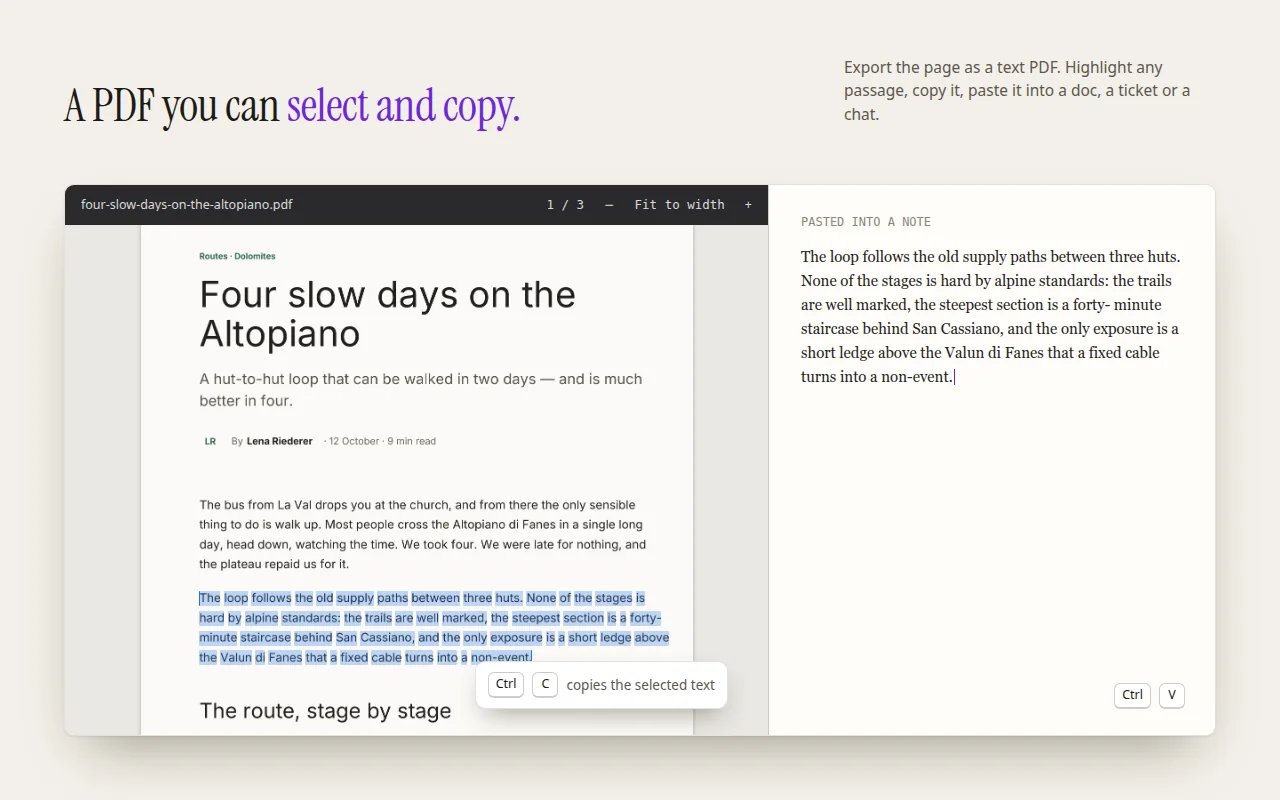
The page's real words, not a picture of them. Recipients can select, copy and search, and links stay clickable. Works fully offline.
No account, no analytics, no network requests. Captures live in your browser and are deleted once the viewer has read them.
There is no server to send anything to.
No host permissions. No access to your history, browsing activity or any other tab.
Yes. No license, no account, no watermark, and no paid tier holding back the useful parts.
Chrome and Chromium-based browsers such as Edge, Brave, Arc and Opera. It needs Chrome 116 or newer.
Yes. It only touches the tab you capture, after you click, so intranets, webmail and admin consoles behave like any other page.
That is the capture. The browser can only photograph what is on screen, so PageCapture scrolls the real page and stitches the screens back together. It returns the page to where it was.
Yes, as one tall page or as A4 sheets, sliced at clean boundaries so nothing is cut through a line of text. The text PDF mode stores the page's real text, so anyone can select, copy and search it.
Latin-script pages work today. Other scripts currently export as placeholder boxes, so use the image PDF for those.
That is the most useful thing you can send. Bug reports with a URL are gold, and most get fixed within days. Ideas and gripes are just as welcome: this tool is shaped by the pages it fails on.